Interactive — this is the real build running inside the page.Full screen
What it does
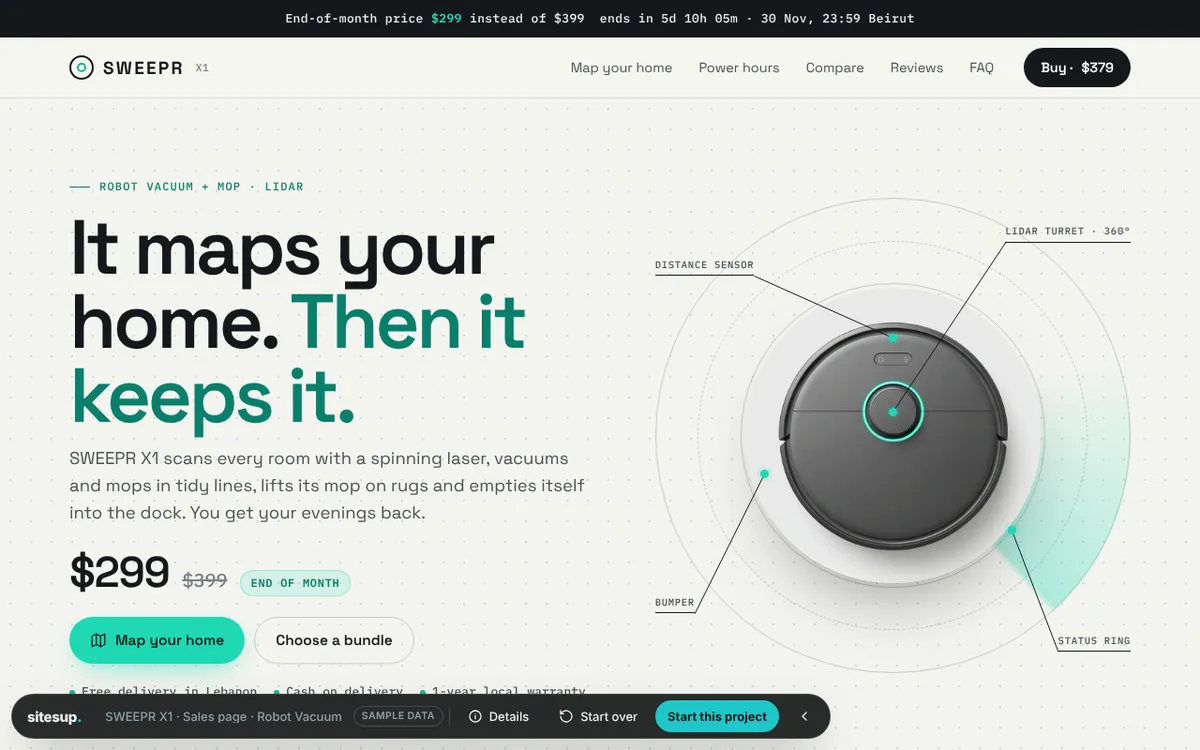
A single-product page for SWEEPR X1, a robot vacuum and mop with LiDAR mapping and an optional self-empty dock. Its centrepiece is a floor-plan planner: paint your rooms on a grid, drop in sofas, beds and tables, set each floor to tile, wood or rug, then press Clean and watch a laser-scanning robot trace edges first and tidy lanes room by room, with live coverage, time and battery estimates. Around it: a suction and loudness slider, a power-hour scheduler built for state power and generator hours, an interactive app preview, a comparison with a regular vacuum, box contents, sample reviews, an end-of-month offer timed to Beirut, bundle picker with stock, sticky buy bar and a three-step checkout with a one-click upsell.
Signature interaction
Draw your home on a grid, drop in the sofa and beds, mark the rug, then press Clean: a laser-scanning SWEEPR sweeps the edges first, then tidy lanes room by room, lifts its mop on the rug and fills a coverage ring while the time and battery estimate tick along.
What works in it
Floor-plan planner: paint rooms by dragging on a grid, with undo and clear
Place sofas, beds and tables, rotate them and move the dock
Tile, wood or rug per room; the robot lifts its mop on rugs
Clean simulation with LiDAR rays, edges-first then lane-by-lane route, coverage ring, time and battery use
Three presets: Beirut 2-bed apartment, Studio and Family 3-bed, plus a saved "My home" map
Suction slider with a particle vortex, loudness meter and runtime per mode
Pet advice and a power-hour scheduler that finds a cleaning slot inside state or generator hours
Phone app preview with robot, map, schedule and care tabs
Comparison with a regular vacuum and a time-back calculator
Box contents for the robot alone or with the self-empty dock
Sample reviews with topic filters and an FAQ
End-of-month price with a real Beirut-time countdown, bundle picker with stock, mop-pad order bump and sticky buy bar
Three-step checkout with cash on delivery, Whish, OMT and card, Lebanese phone validation
Thank-you page with an SW order number and a one-click mop-pad upsell with undo
Motion preview
Screen recording of the live build, running on sample data.
Features inside this build
E-commerce
Product Configurator
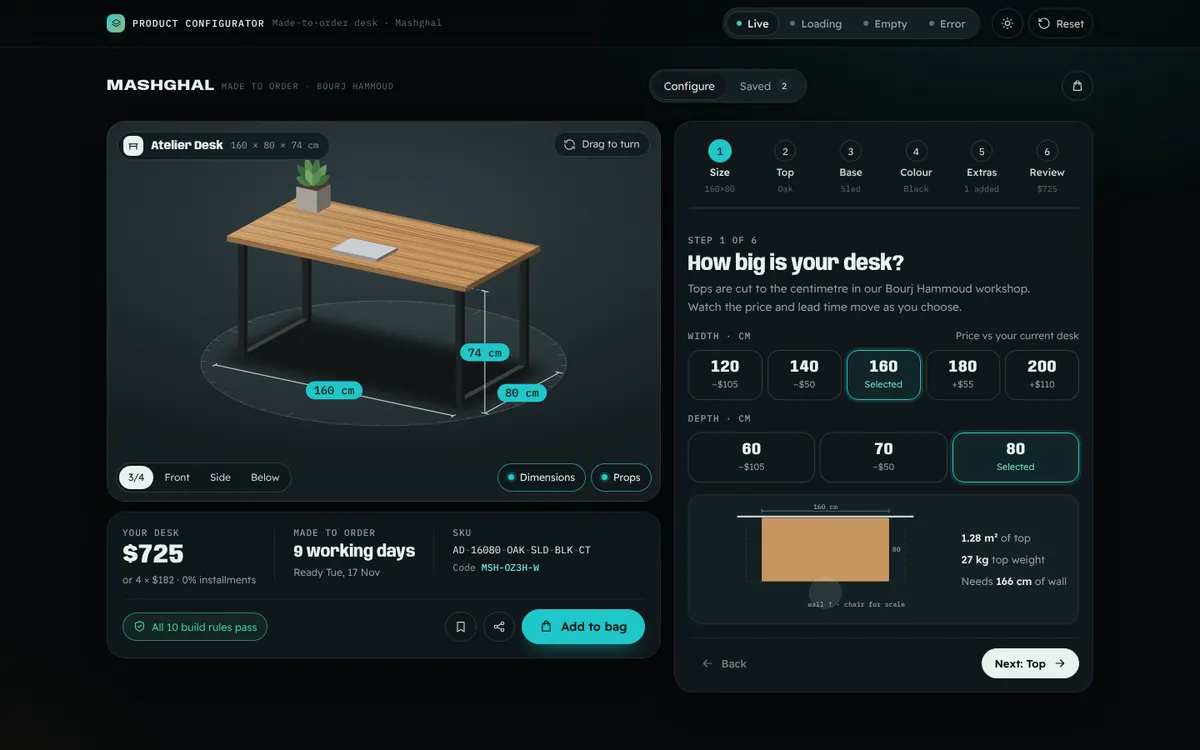
A step-by-step builder for a made-to-order desk from a Beirut workshop: size, top, base, colour and extras, with a 3D preview that redraws on every choice and turns under your finger. Price, lead time, ready date and SKU update live, build rules explain what can't be combined, and every design gets a shareable code.
A flash-sale bar and product card with a flip-digit countdown to a real deadline, a stock-left bar that ticks down as people buy, an 'ends soon' pulse in the last 10 minutes, and an automatic switch to 'Sale ended' with a notify-me form.
A long skincare product page where, as soon as the main buy box scrolls out of view, a compact buy bar slides in with the product thumbnail, chosen variant, size picker, quantity, live price and Add to bag — always in sync with the main buy box.
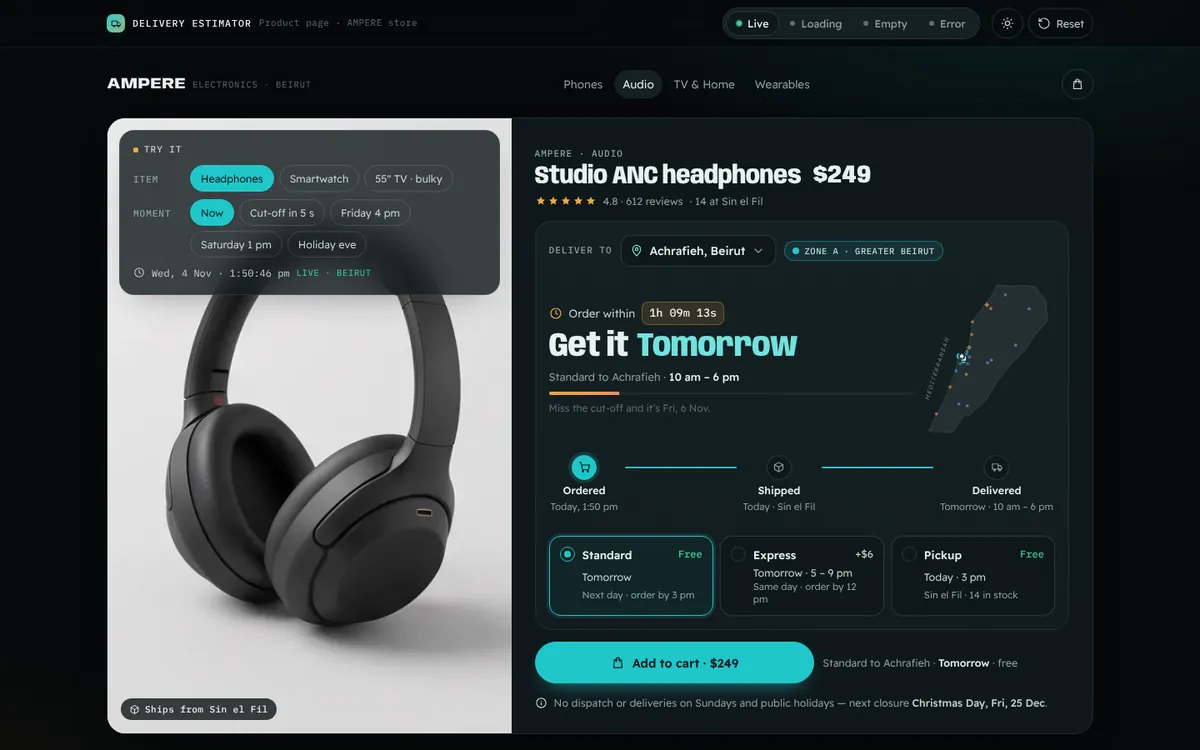
A delivery promise on a Beirut electronics product page: pick any Lebanese area and see “Order within 2h 14m, get it Sat 31 Oct” with a live cut-off countdown, an Ordered → Shipped → Delivered timeline and a route on a drawn map of Lebanon. Sundays and public holidays are skipped and named, express depends on the zone, large items get installation slots, and in-store pickup shows the nearest branch and its stock.